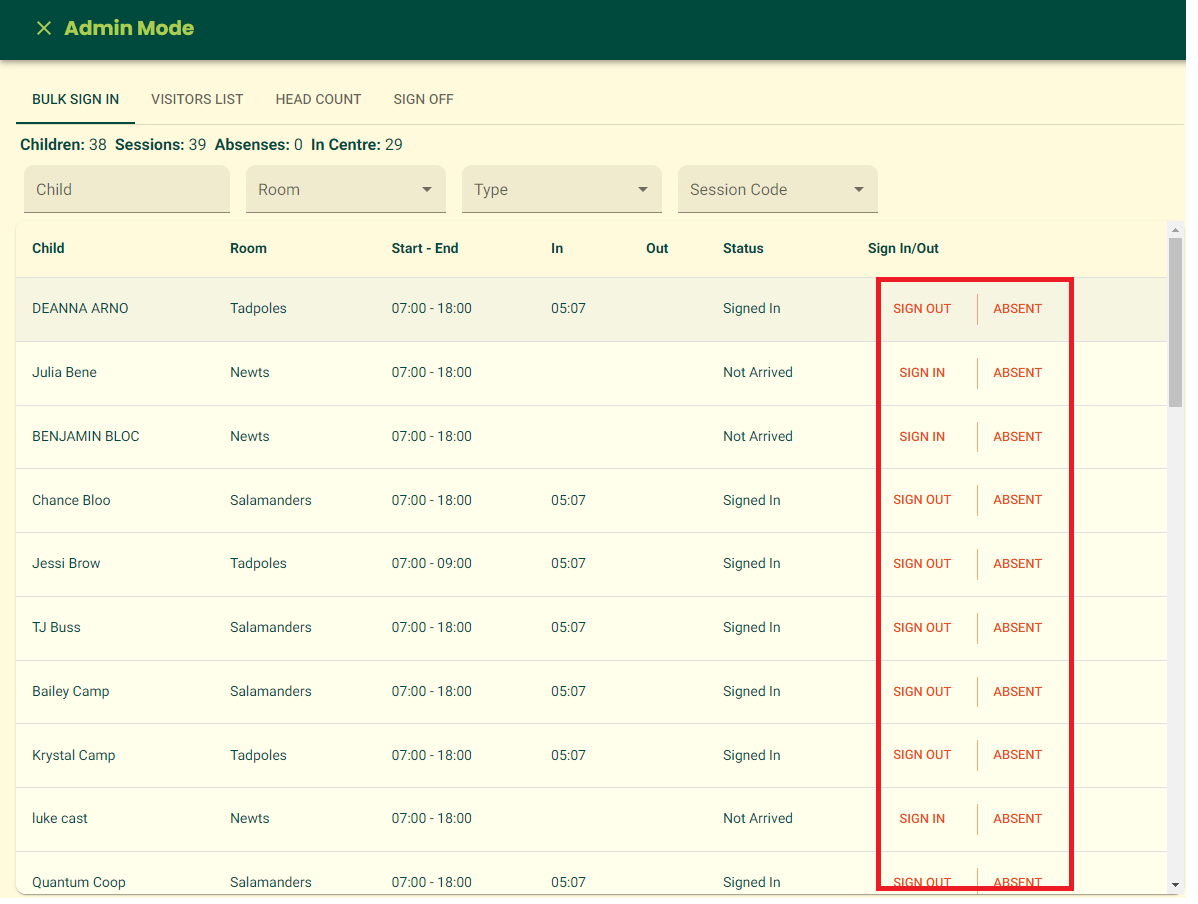
You can mark multiple children as signed in, signed out, or absent.
Simply follow the instructions below to get started.
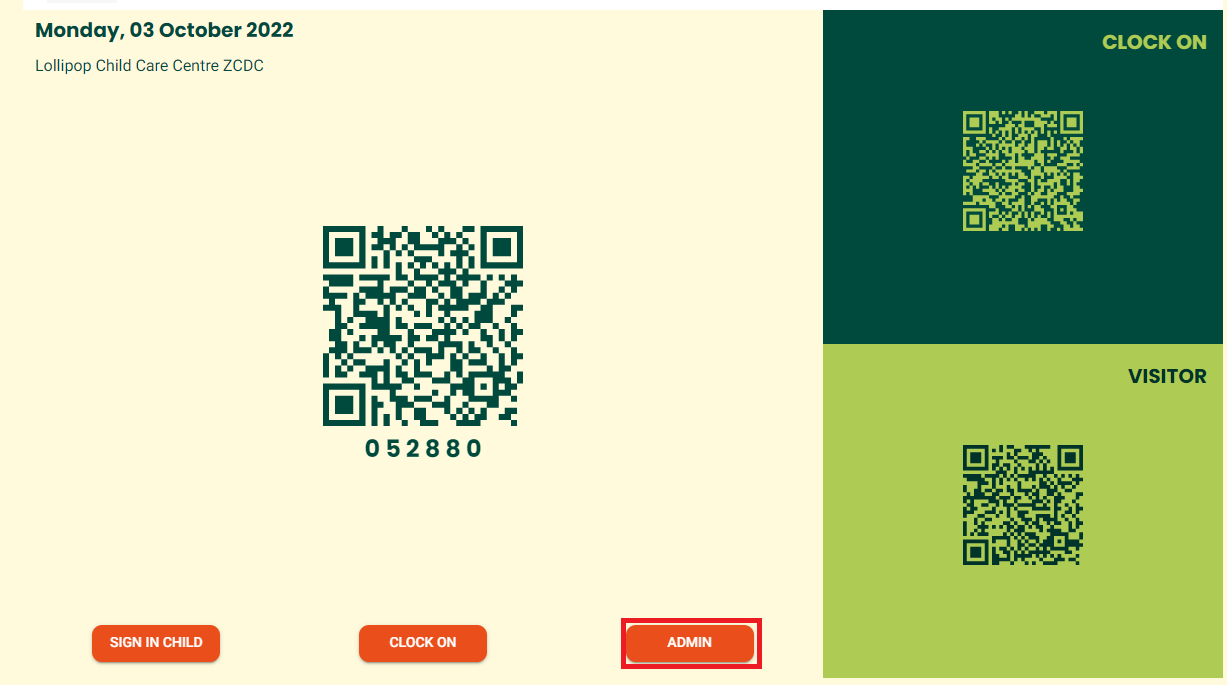
From the center's kiosk, click ADMIN to access admin options. |
|
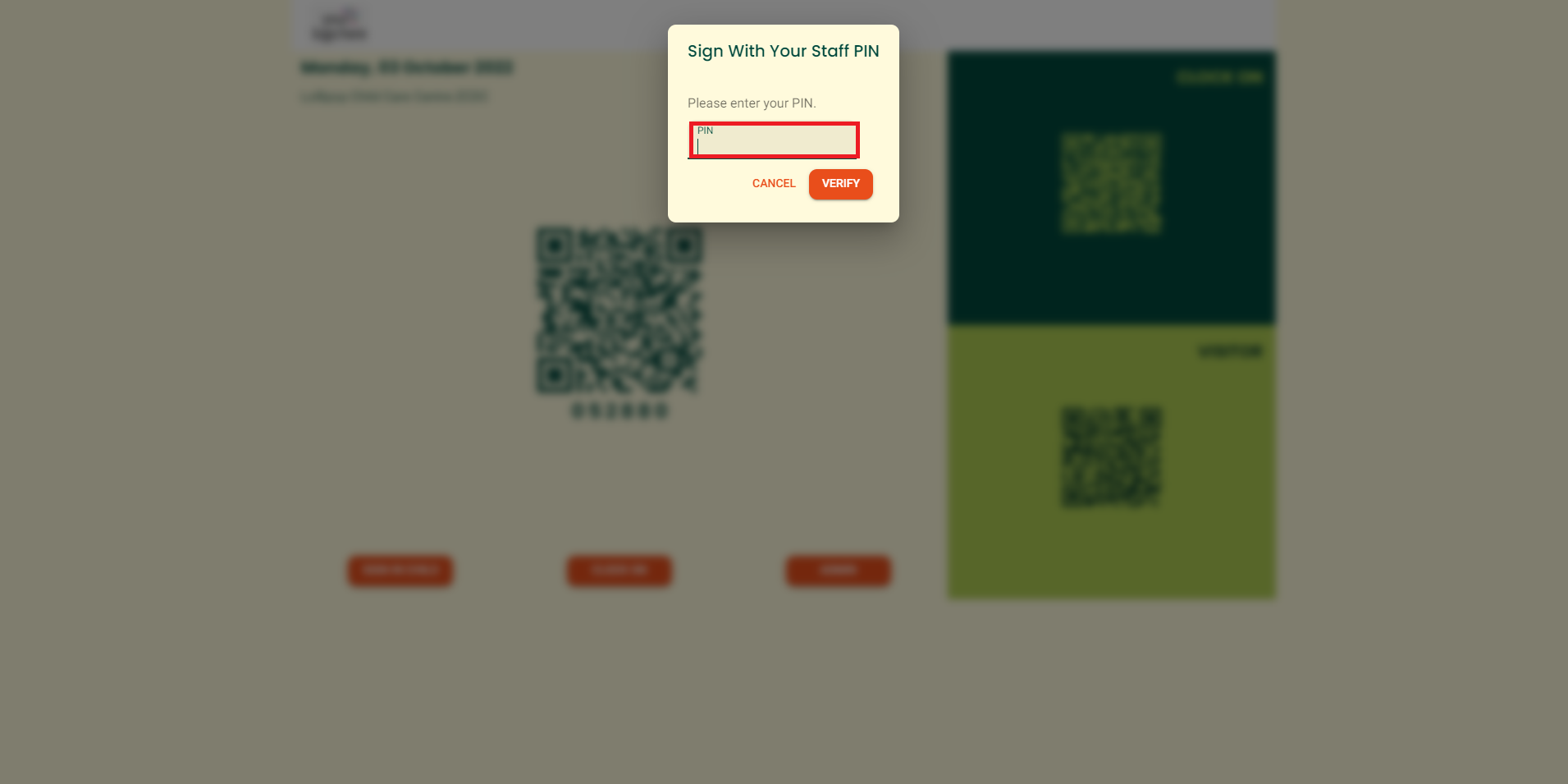
"Sign With Your Staff PIN" window appears. Enter PIN and click VERIFY |
|
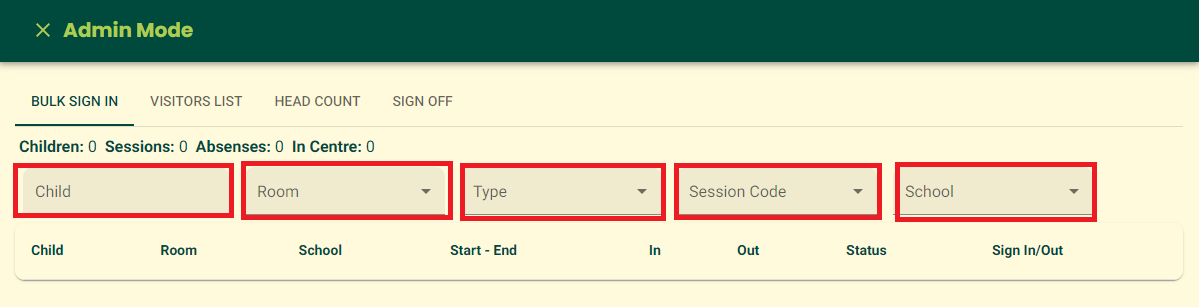
Admin Mode page appears. Warning: page automatically closes when inactive for 5 minutes. |
|
Locate the 'Sign In/Out' column corresponding to each child and simply click the appropriate button—either 'SignIn,' 'Out,' or 'Absent'—to effortlessly update their attendance status |
|
|
Was this article helpful?
That’s Great!
Thank you for your feedback
Sorry! We couldn't be helpful
Thank you for your feedback
Feedback sent
We appreciate your effort and will try to fix the article