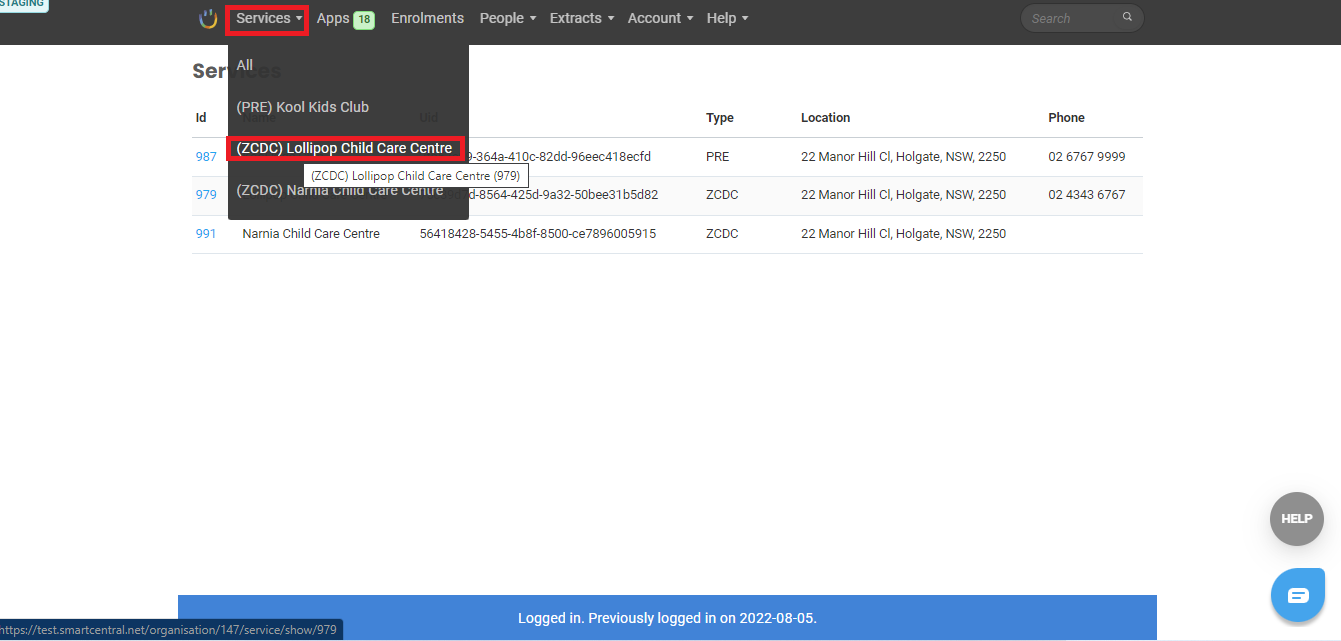
As a staff, use the kiosk for signing in/out of the system. Follow the steps below on how to Sign in using the assigned PIN:
|
|
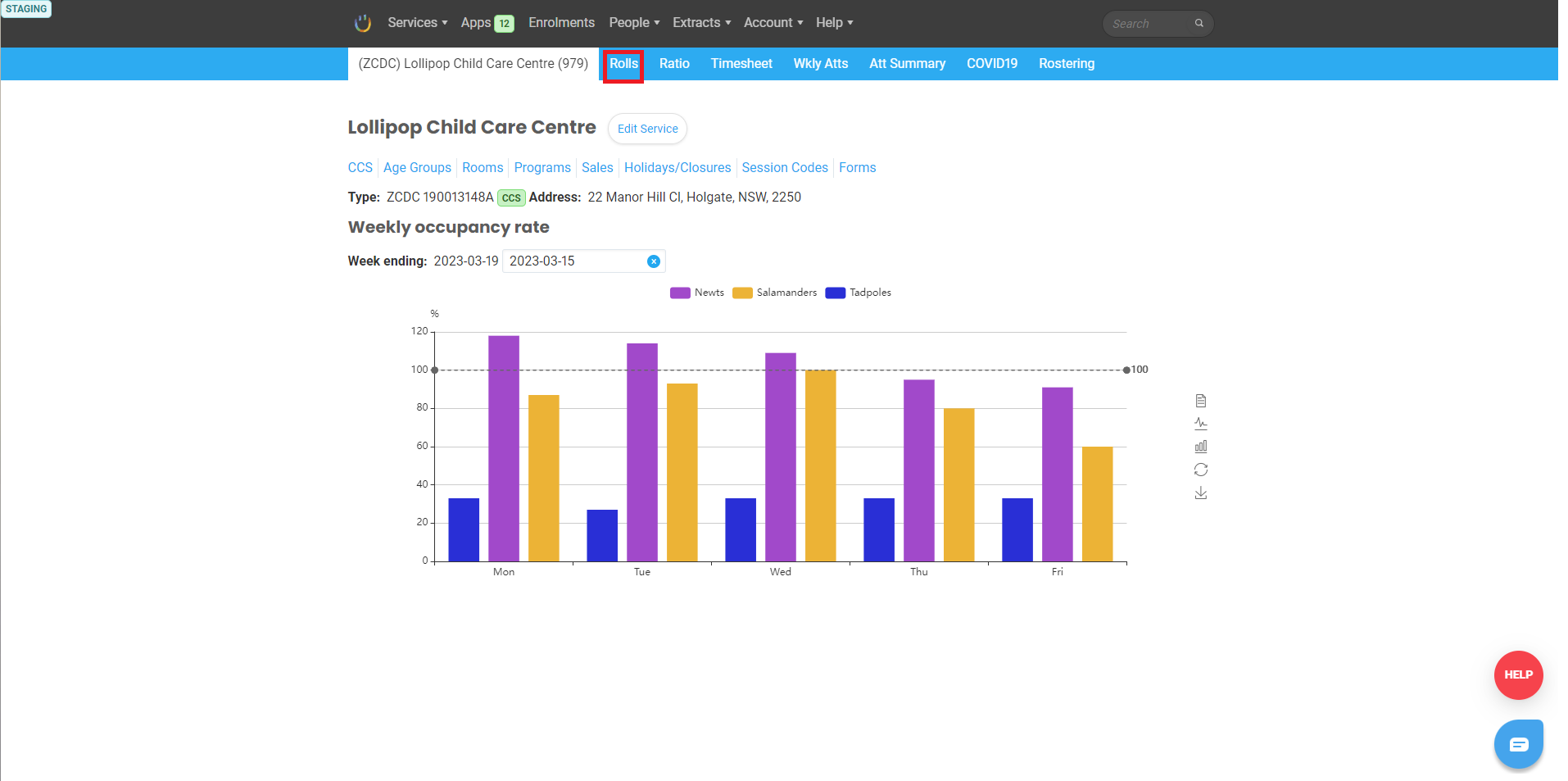
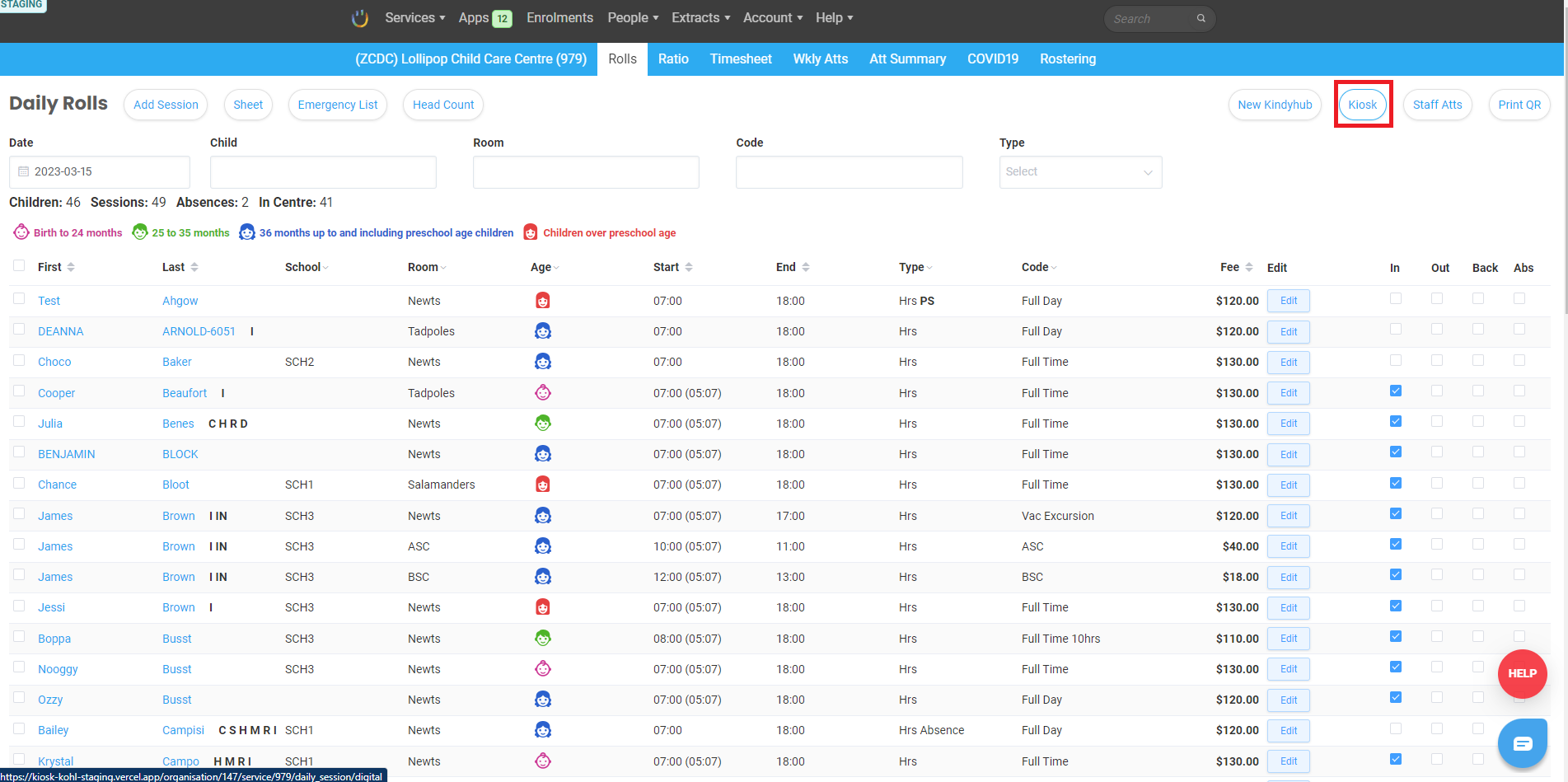
2. Click Rolls. Then click Kiosk |
|
|
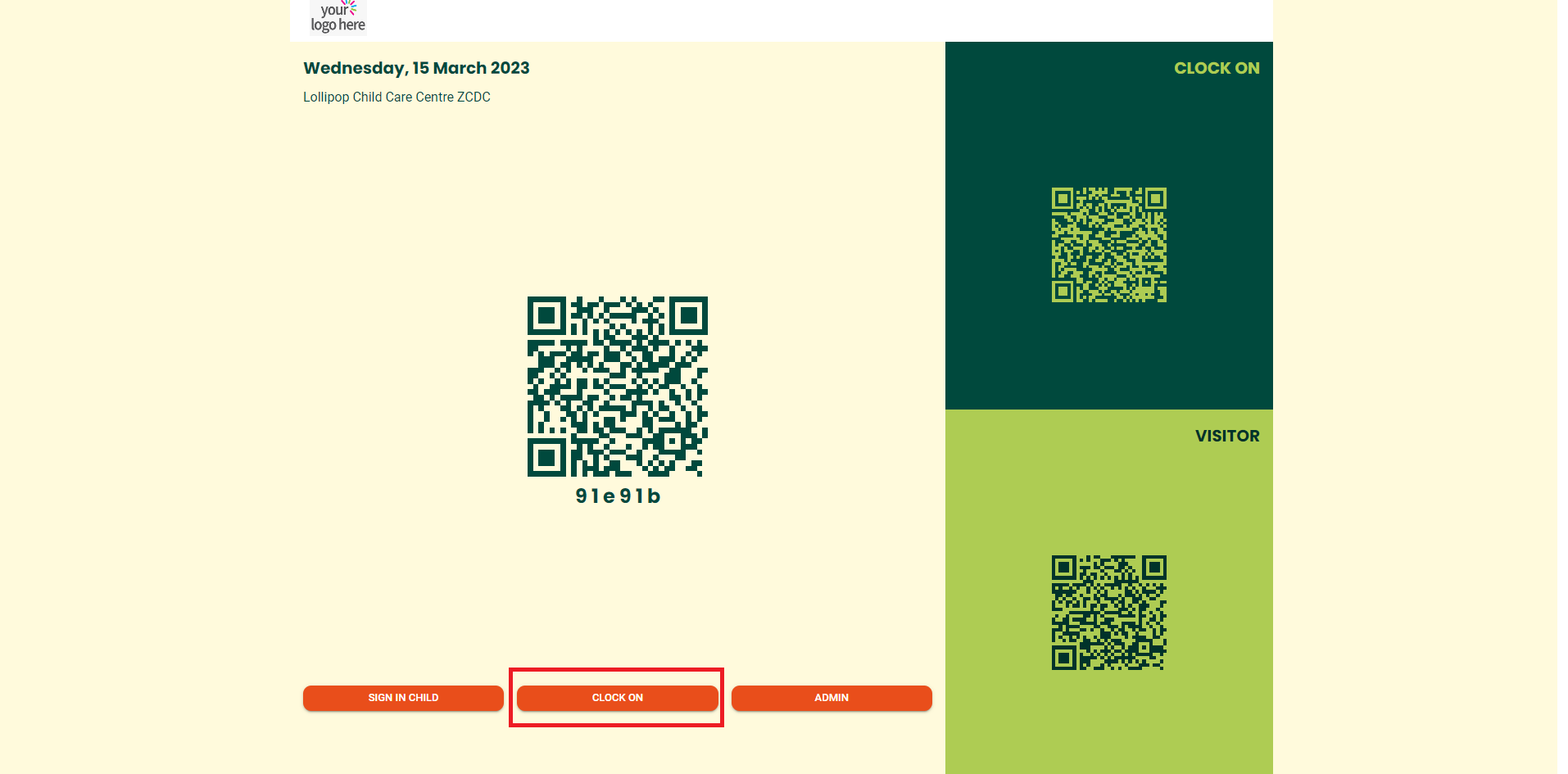
3. On the centre’s kiosk, click CLOCK ON to sign in as Staff |
|
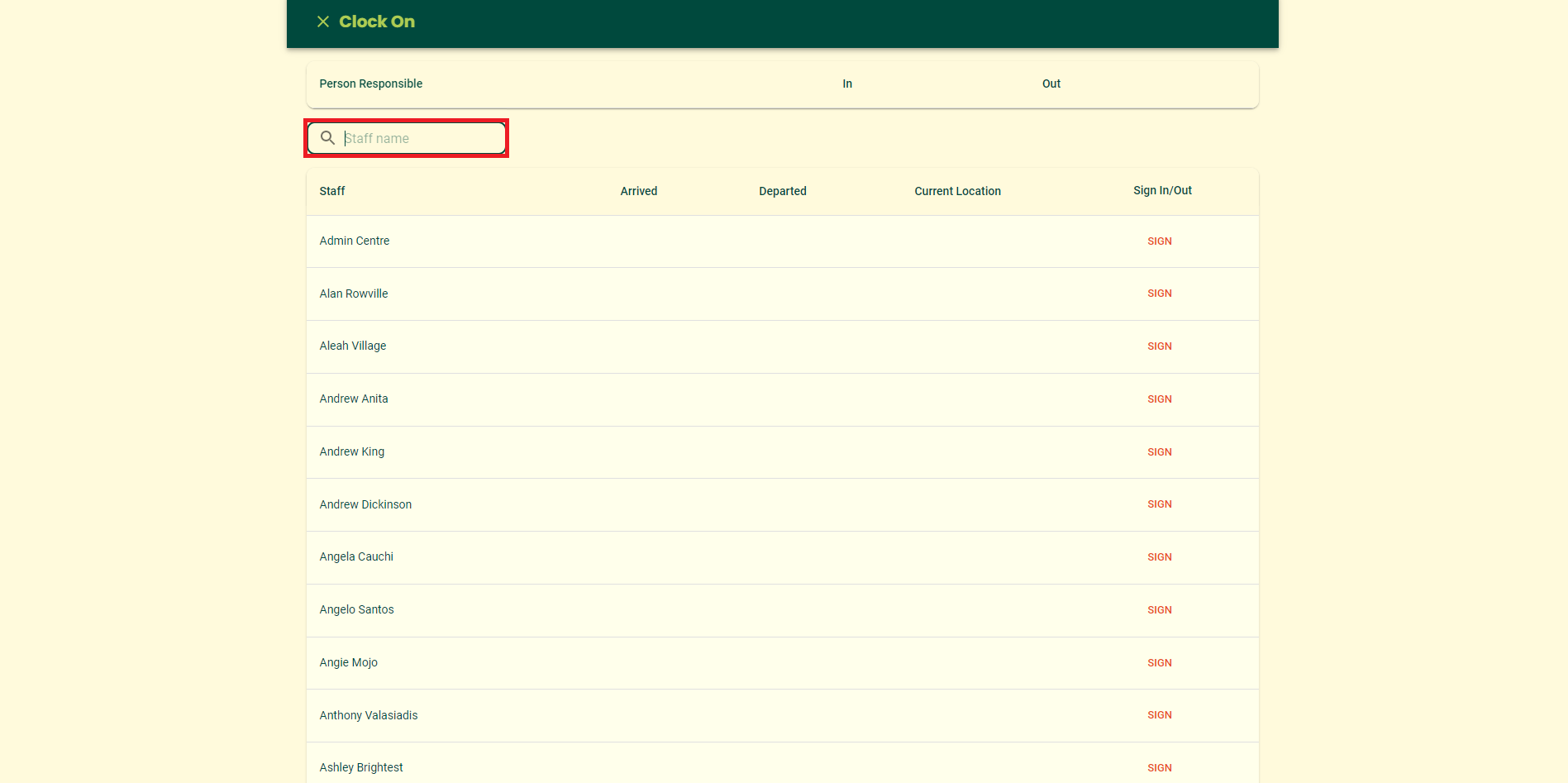
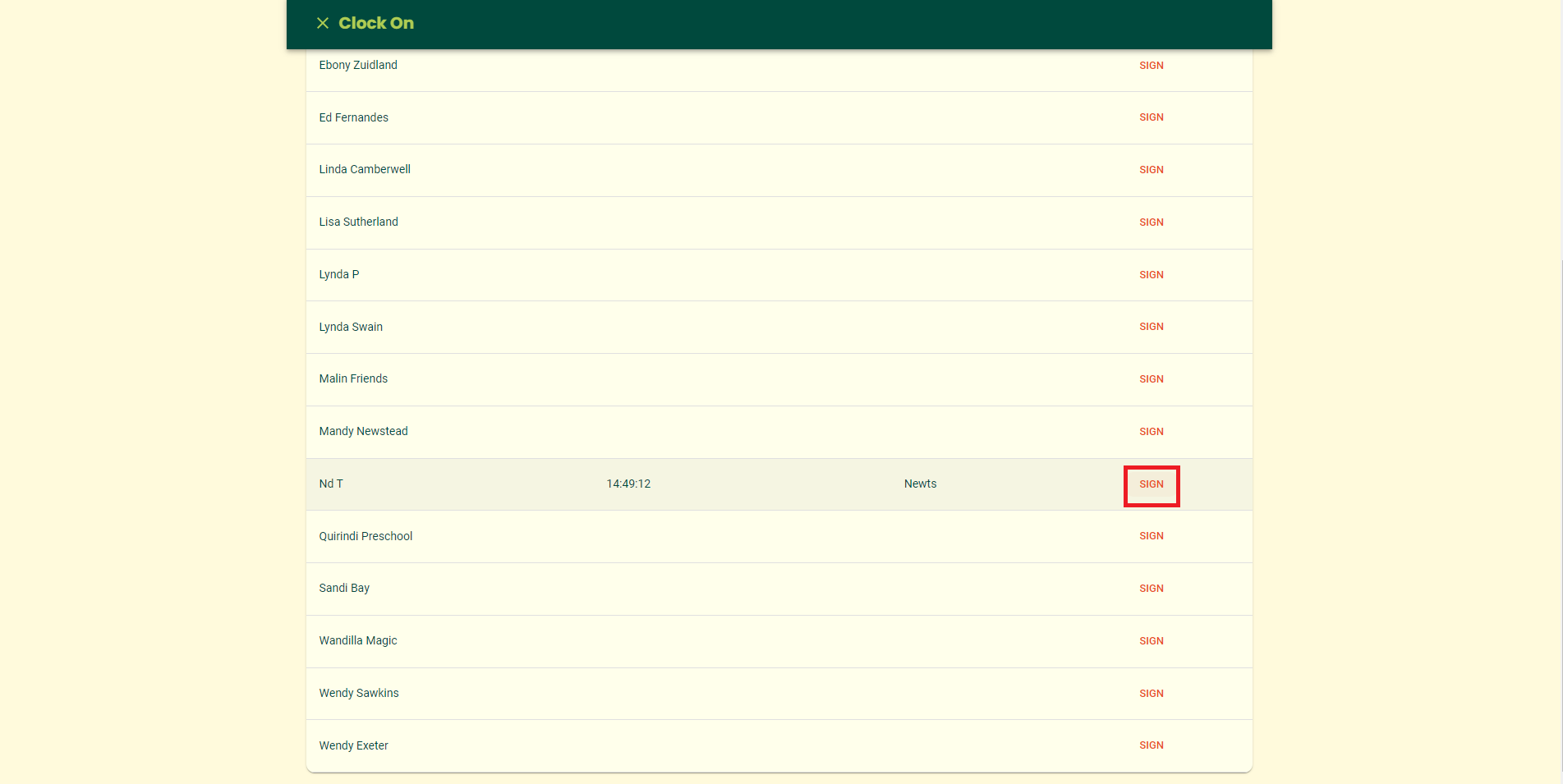
4. Clock On page appears. Use the Filter options to search for a name. Then click SIGN |
|
|
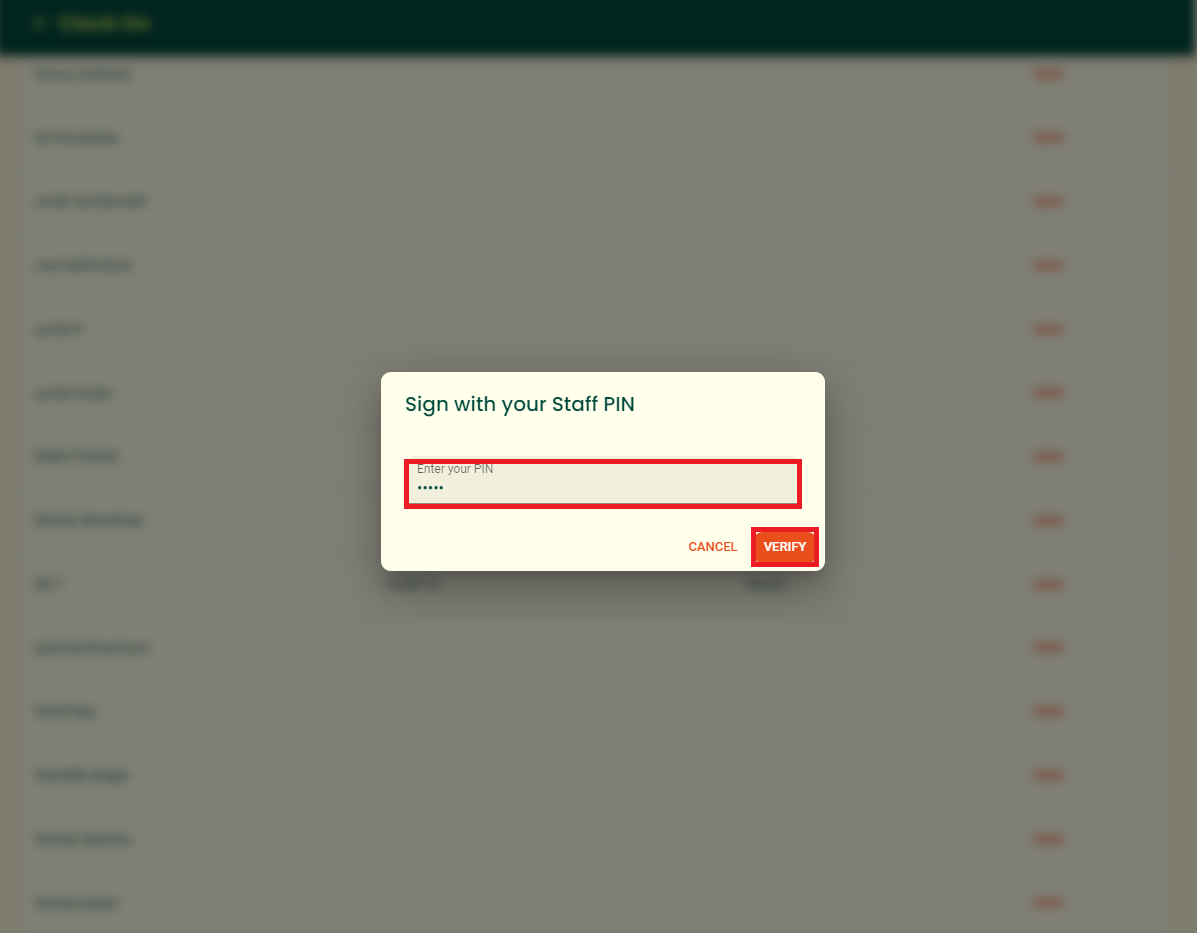
5. Sign With Your Staff PIN window appears. Enter your assigned PIN and click VERIFY |
|
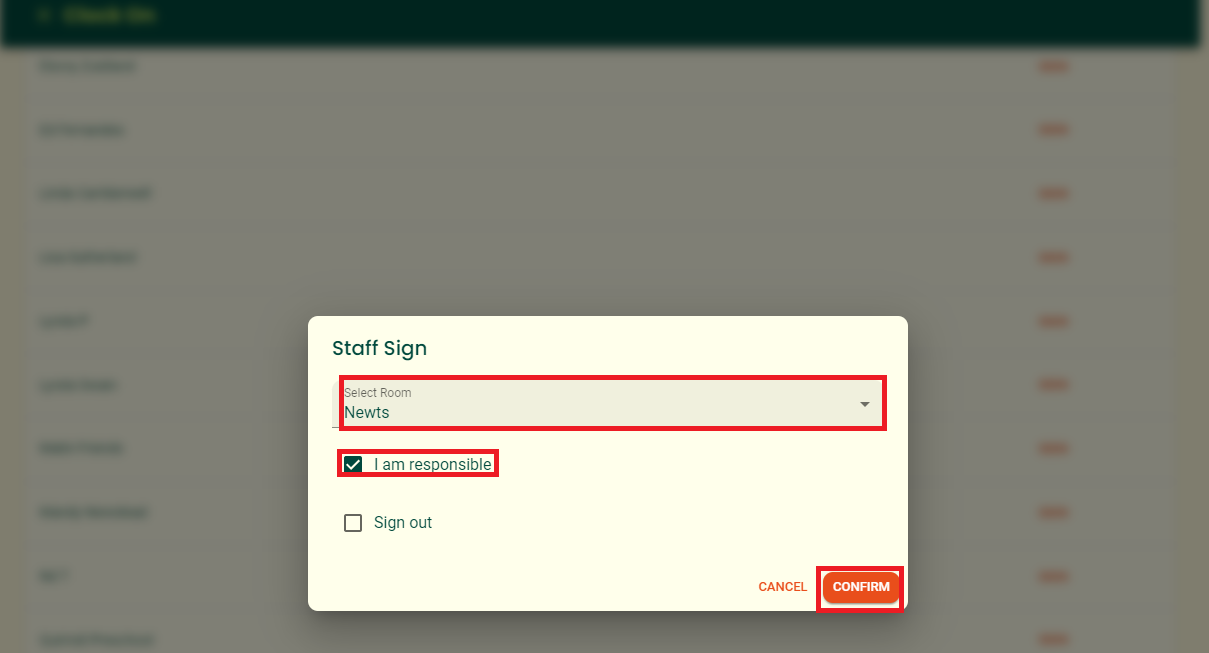
6. Staff Sign window appears. Select a room from the dropdown menu, and tick the I am responsible tickbox. Click CONFIRM to continue For each centre, at least one person has to be responsible. In instances the responsible person has to leave, the responsible person tick has to be assigned to another staff.
Note: When logging out, instead of clicking the same tickbox, click the Sign Out tickbox. Otherwise, Confirm button will not enable |
|
7. the Clock On window to appear with the login details |
Notification appears on the bottom of the page |
Was this article helpful?
That’s Great!
Thank you for your feedback
Sorry! We couldn't be helpful
Thank you for your feedback
Feedback sent
We appreciate your effort and will try to fix the article